
Google has introduced a new set of productivity driven enhancements for Google Chrome, aimed at helping users work smarter, stay organised and navigate daily tasks more efficiently. Whether managing a packed to do list, building a side business or spending most of the day online, the company says the latest updates are designed to make browsing more intuitive and time efficient.
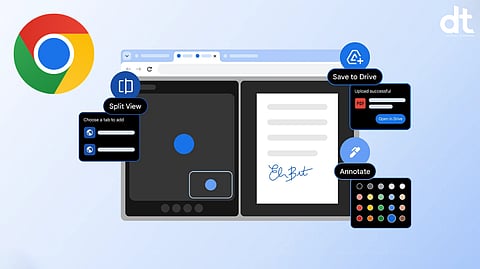
The announcement includes three key features: Split View, PDF annotations and Save to Google Drive. These additions are built for both individual and enterprise users, with a focus on reducing friction, improving multitasking and simplifying document management directly within the browser.
Productivity Enhancements Designed for Modern Workflows
Google says it continues to refine Chrome by listening closely to user feedback and focusing on the small details that make a meaningful difference in everyday usage. The latest updates are intended to help users focus better, collaborate seamlessly and complete tasks faster without leaving the browser environment.
Split View Brings Smarter Multitasking to Chrome
One of the most notable additions is Split View, a feature developed to address a common productivity challenge: constantly switching between tabs or resizing multiple browser windows.
Split View allows users to display two tabs side by side within a single Chrome window, creating a structured and organised workspace. By reducing back and forth tab switching, the feature helps maintain workflow continuity and minimises distractions.
Early feedback highlights practical use cases across different professions. Teachers are using Split View to grade assignments while referencing materials, students are taking notes while watching educational videos, professionals are reviewing documents during virtual meetings and developers are keeping documentation open while coding. The goal is to enhance efficiency through a streamlined multitasking experience.
Built In PDF Annotations Simplify Document Review
Chrome is also upgrading its PDF Viewer with integrated annotation tools. Users can now highlight text and add notes directly to PDF files without downloading them or opening a separate application.
This built in functionality eliminates unnecessary steps and accelerates document review processes. Whether marking up business reports, adding comments to proposals, reviewing academic syllabi or applying quick digital signatures, users can complete these tasks directly within the browser.
By integrating annotation capabilities into Chrome, Google aims to make document handling more seamless and reduce reliance on third party software.
Save to Google Drive Keeps Downloads Organised
File management is another area receiving attention. Many users often download important PDFs only to struggle later when trying to locate them.
To address this, Chrome now allows users to save PDFs directly to Google Drive without first downloading and manually uploading them. Files saved through this feature are automatically organised into a dedicated “Saved from Chrome” folder within Drive.
This ensures that documents remain backed up, searchable and accessible across devices. It also helps users maintain a cleaner local storage system while improving overall document accessibility.
Key Highlights
Split View allows users to view two tabs side by side within a single Chrome window
Built in PDF annotation tools enable highlighting and note adding without downloading files
Save to Drive lets users store PDFs directly to Google Drive
Files saved from Chrome are automatically organised in a dedicated Drive folder
Features designed for both individual and enterprise productivity needs
Chrome Continues to Evolve as a Productivity Platform
With Split View, built in PDF annotations and seamless Drive integration, Google is positioning Chrome as more than just a browsing tool. These enhancements reflect a broader strategy to transform the browser into a central hub for work, collaboration and personal productivity.
As digital workflows increasingly shift to the browser, Chrome’s latest updates aim to provide users with the tools they need to stay organised, focused and efficient throughout their day.
𝐒𝐭𝐚𝐲 𝐢𝐧𝐟𝐨𝐫𝐦𝐞𝐝 𝐰𝐢𝐭𝐡 𝐨𝐮𝐫 𝐥𝐚𝐭𝐞𝐬𝐭 𝐮𝐩𝐝𝐚𝐭𝐞𝐬 𝐛𝐲 𝐣𝐨𝐢𝐧𝐢𝐧𝐠 𝐭𝐡𝐞 WhatsApp Channel now! 👈📲
𝑭𝒐𝒍𝒍𝒐𝒘 𝑶𝒖𝒓 𝑺𝒐𝒄𝒊𝒂𝒍 𝑴𝒆𝒅𝒊𝒂 𝑷𝒂𝒈𝒆𝐬 👉 Facebook, LinkedIn, Twitter, Instagram
