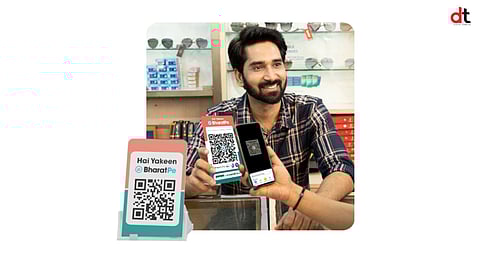

BharatPe for Business is transforming the way merchants across India accept payments. Designed to be simple, secure, and cost-effective, the BharatPe for Business QR Code enables merchants to accept payments seamlessly from all UPI-enabled apps without any transaction fees. Whether you’re a small shop owner or a large business, BharatPe helps you streamline your payment process and focus on growing your business.
5 Easy Steps to Set Up Your BharatPe QR Code
Download the BharatPe App
Head to the Google Play Store or Apple App Store and search for "BharatPe." Download the “BharatPe for Business” app and install it on your smartphone.
Register Your Account
Open the BharatPe for Business app and sign up with your mobile number. You’ll receive an OTP for verification, after which you can provide essential business details like your shop name and category.
Generate Your BharatPe QR Code
Go to the "QR Code" section in the app and tap to generate your unique BharatPe QR code.
Receive Your QR Kit
Once registered, BharatPe will deliver a QR kit to your business address, including a printed QR code stand for your counter.
Start Accepting Payments
Place the QR code stand at your counter in a visible location. Let your customers know they can scan the code with any UPI app to make payments, and funds will be credited directly to your linked bank account—100% of the payment, with no fees involved.
With BharatPe’s simple and secure QR code system, accepting payments has never been easier. Enjoy zero transaction fees, fast payments, and the freedom to focus on your business. Get started today and elevate your payment experience with BharatPe!
𝐒𝐭𝐚𝐲 𝐢𝐧𝐟𝐨𝐫𝐦𝐞𝐝 𝐰𝐢𝐭𝐡 𝐨𝐮𝐫 𝐥𝐚𝐭𝐞𝐬𝐭 𝐮𝐩𝐝𝐚𝐭𝐞𝐬 𝐛𝐲 𝐣𝐨𝐢𝐧𝐢𝐧𝐠 𝐭𝐡𝐞 WhatsApp Channel now! 👈📲
𝑭𝒐𝒍𝒍𝒐𝒘 𝑶𝒖𝒓 𝑺𝒐𝒄𝒊𝒂𝒍 𝑴𝒆𝒅𝒊𝒂 𝑷𝒂𝒈𝒆𝐬 👉 Facebook, LinkedIn, Twitter, Instagram
